Scheduling
Scheduling, dispatch, and flexible field teams
Schedule approved work, manage worker availability and conflicts, assign crews, and use an on-call job pool when flexible coverage is needed.
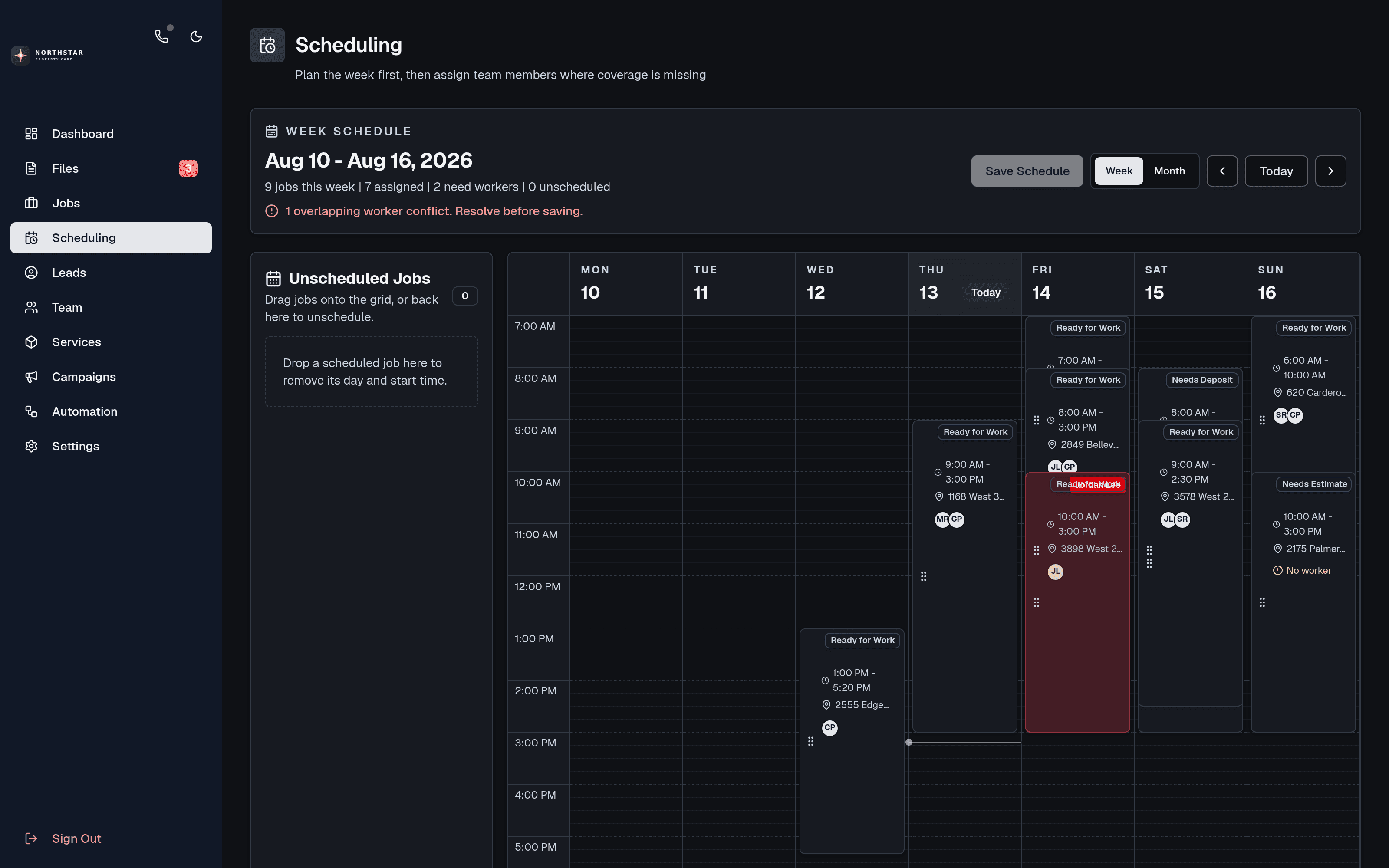
Move approved or financially secured work into a visual weekly schedule tied to the client, service file, location, status, and assigned workers.
Drag and resize work, compare assignments with worker availability, and surface conflict warnings before finalizing the schedule.
Maintain recurring weekly availability and date-specific overrides for vacations, appointments, special hours, and days off.
Assign work directly or release it to an on-call pool where eligible workers can review context and payout, then accept available work.
Workers can view upcoming jobs, request rescheduling, upload photos, add notes, and keep administrators current from the field.
Free to start
Build this workflow around your service business
Signup is open. Create your CRM free, set up your first service, and add a business number or the AI assistant when you need them.