The operating CRM for service businesses
Everything to run and grow your business.
Win the lead, quote the work, schedule your team, keep clients updated, and get paid—without stitching together five different tools.
No credit card required.Built for the way service businesses actually work
Proof of work
Built inside a real service business.
Interdatum started as the operating workflow behind a local diving business, where it was used to manage real customer requests, estimates, deposits, jobs, and payments. After proving the workflow in the field, it was rebuilt as a multi-tenant platform for other service businesses.
This is software built from operator pain, not from a feature checklist.
Workflow
One operating flow from request to payment.
Request → Estimate → Deposit → Schedule → Job → Invoice → Payment
Replaces scattered forms, quote spreadsheets, phone notes, calendars, job records, invoice handoffs, and follow-up tools.
Request structured
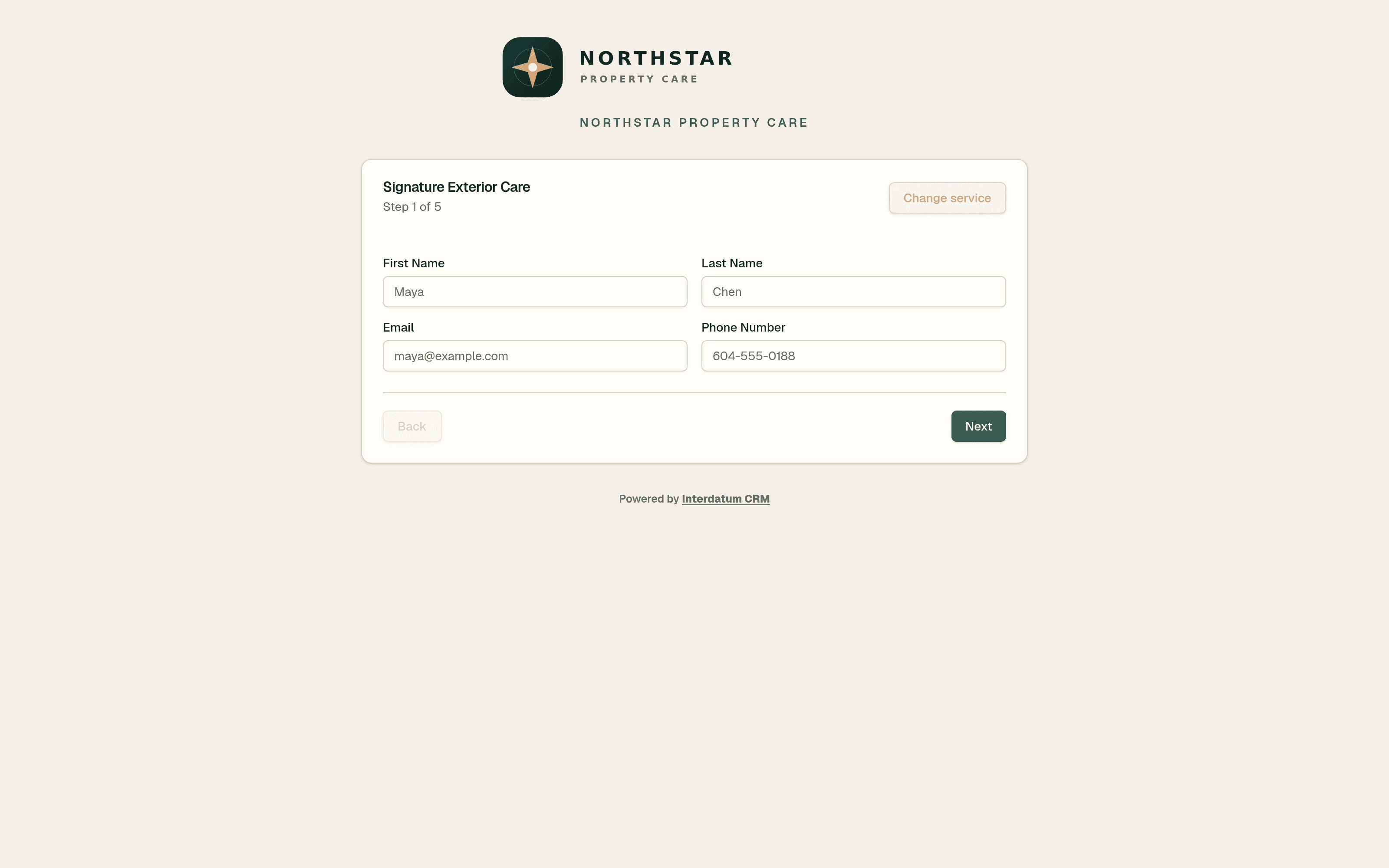
Capture a quote-ready lead
Your service form collects the exact job details your team needs to qualify and price the request.
Build multi-step forms for each service, embed them on your website, and keep the lead connected to future calls, texts, estimates, and bookings.
Read more about request01Quote generated
Estimate in a single click
Create an editable estimate from service pricing and reusable line items, then notify your client by email or transactional SMS.
The client can review the PDF in the portal, accept or decline it, and keep every revision connected to the job file.
Read more about estimate02Work approved
Approve and secure the work
Choose whether a deposit is required for the estimate instead of forcing one workflow onto every job.
The client can accept work directly or agree to your terms and pay a required deposit through the portal.
Read more about deposit03Crew assigned
Schedule the work
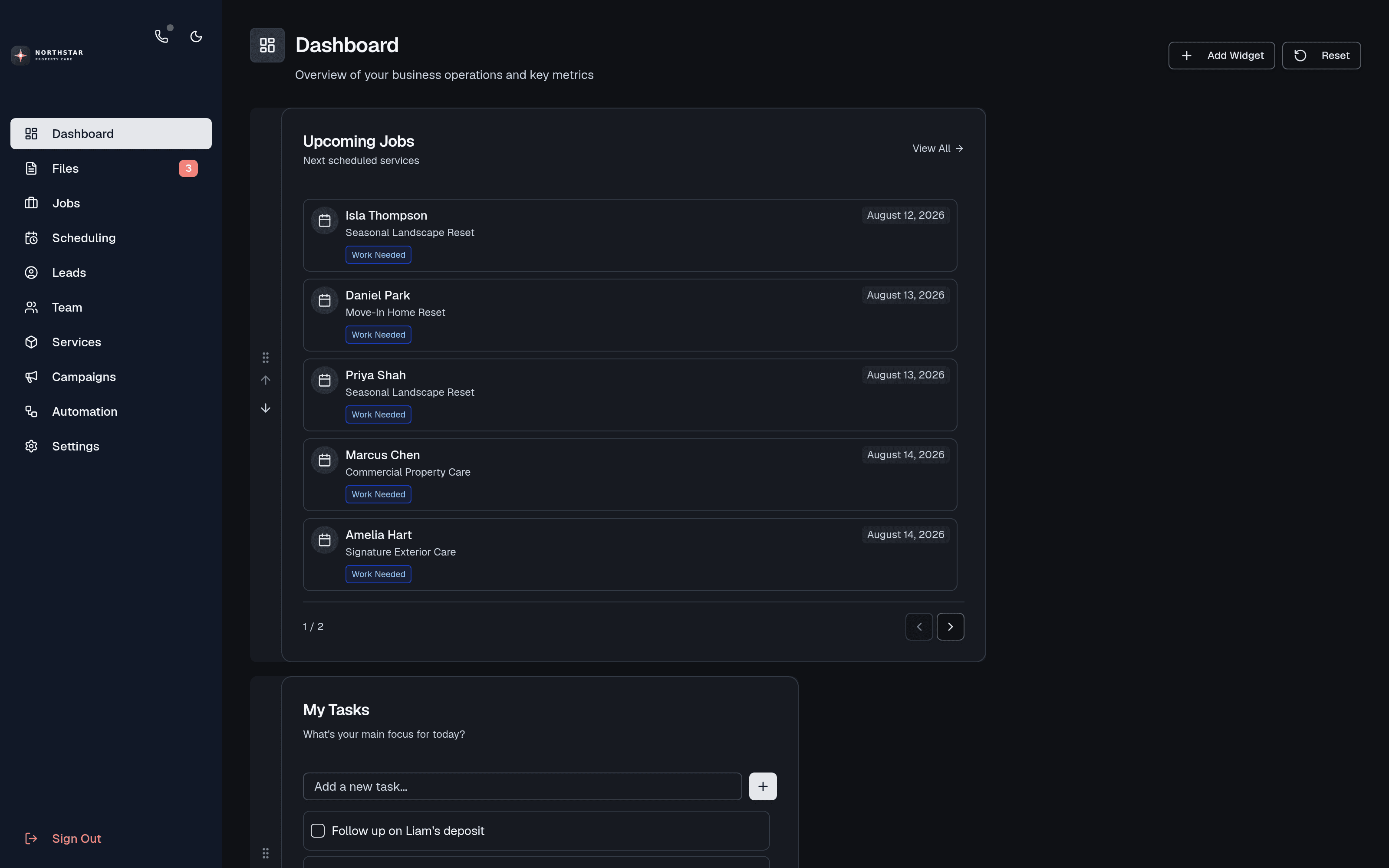
Assign approved work, compare crew availability, surface conflicts, and keep upcoming jobs visible.
Drag and resize work on the schedule, assign crews directly, or release a job to an on-call pool for eligible workers to claim.
Read more about schedule04Work documented
Do the job
Give field workers the current job file and keep notes, photos, communications, documents, costs, and updates in one place.
Track estimated and actual revenue, labour, expenses, and profit while workers document the job from the field.
Read more about job05Invoice sent
Invoice in a single click
Create one or more invoices from completed work and send them to the client portal with transactional notifications.
Additional invoices, replacements, voids, estimates, photos, work notes, and payment status stay in the file history.
Read more about invoice06Payment received
Get paid and close the loop
Use Stripe Connect while giving clients one place to pay, review records, download documents, and return to past work.
Payments, invoices, estimates, photos, activity, and downloadable job archives stay connected to the client and file after completion.
Read more about payment07All-in-one operations
More than quote-to-cash.
Interdatum connects the work before the quote, the work in the field, and the follow-up after payment—without losing the client or file context between steps.
Win work
Leads, campaigns, calls, and texts
Manage lead profiles, campaign lists, email outreach, booking history, and follow-up. Approved Canadian beta teams can add a free provisioned number for direct SMS, calling campaigns, inbound and outbound calls, voicemail, recordings, transcripts, listen, and whisper.
Explore the feature →Quote accurately
Service intake, pricing, and estimate history
Build service-specific forms, use conditional and variable pricing, reuse line items, send editable estimate PDFs, and preserve additional work, revisions, replacements, and voids.
Explore the feature →Run the field
Scheduling, availability, and dispatch
Plan work visually, identify assignment conflicts, manage worker availability, assign crews, and offer flexible jobs through an on-call pool.
Explore the feature →Protect margin
Job files, documentation, and profit
Keep timelines, communications, photos, documents, labour, expenses, estimated revenue, actual revenue, and profit connected to each job file.
Explore the feature →Automate follow-up
Visual operational workflows
React to requests, messages, booking changes, campaign events, or schedules with branching workflows that send notifications, create bookings, send estimates, wait, loop, and log results.
Explore the feature →Close the loop
Client portal, invoices, and payments
Give clients a branded place to approve scope, pay optional deposits and invoice balances, follow file activity, review photos, and download completed records.
Explore the feature →Use cases
See how Interdatum fits day-to-day service work.
Explore practical setups for business communications, flexible dispatch, job profitability, intake, approvals, client records, and automated follow-up.
Phone and text
Keep calls and direct client texts in the CRM
This Canadian beta is for teams that want shared business communications inside Interdatum instead of using personal phones and a separate call system.
Read the use case →Flexible dispatch
Offer open jobs to an on-call worker pool
Use the on-call flow for overflow, cancellations, urgent work, or teams where not every shift is assigned in advance.
Read the use case →Job profitability
See what each service job is expected to earn
Use job financials when the invoice total alone does not tell you whether the work was priced or delivered profitably.
Read the use case →Workflow automation
Automate repeatable follow-up and booking work
Use automation for repeatable operational steps where the trigger, decision, delay, and action can be defined clearly.
Read the use case →Team
Built close to the work.
Both Kaevin and Matt got their start doing construction work, and they understand that in this industry, things just need to work. They are both Engineering Technologists and are in the last year of their engineering degrees at UBC and UVic. The shared vision is to apply real-world experience and engineering problem solving to create a genuinely useful service that cuts out the bloat and provides real benefit to service business operators.
Co-Founder
Kaevin Dixon

Kaevin began building custom CRMs for his own service business and for friends running businesses of their own. After seeing the workflow prove itself in the real world, he set out to turn it into a multi-tenant platform for other operators. He is a Civil Engineering Technologist and fourth-year Civil Engineering student at UBC in Vancouver, Canada.
Co-Founder
Matthew Byrnell

Matthew focuses on turning that workflow into software that stays lean, fast, and reliable as businesses add more clients, jobs, workers, files, approvals, and payments.
Free to start
Running a service business across too many disconnected tools?
Signup is open. Create your CRM, choose your business currency, configure your first service, and start shaping the workflow around your operation.
Start free